Getting Started
Accessing the Editor
You can access the BESSER Web Modeling Editor in two ways:
Public Online Version: Visit editor.besser-pearl.org in your web browser.
Local Deployment: Run the editor on your own machine using Docker or from source.
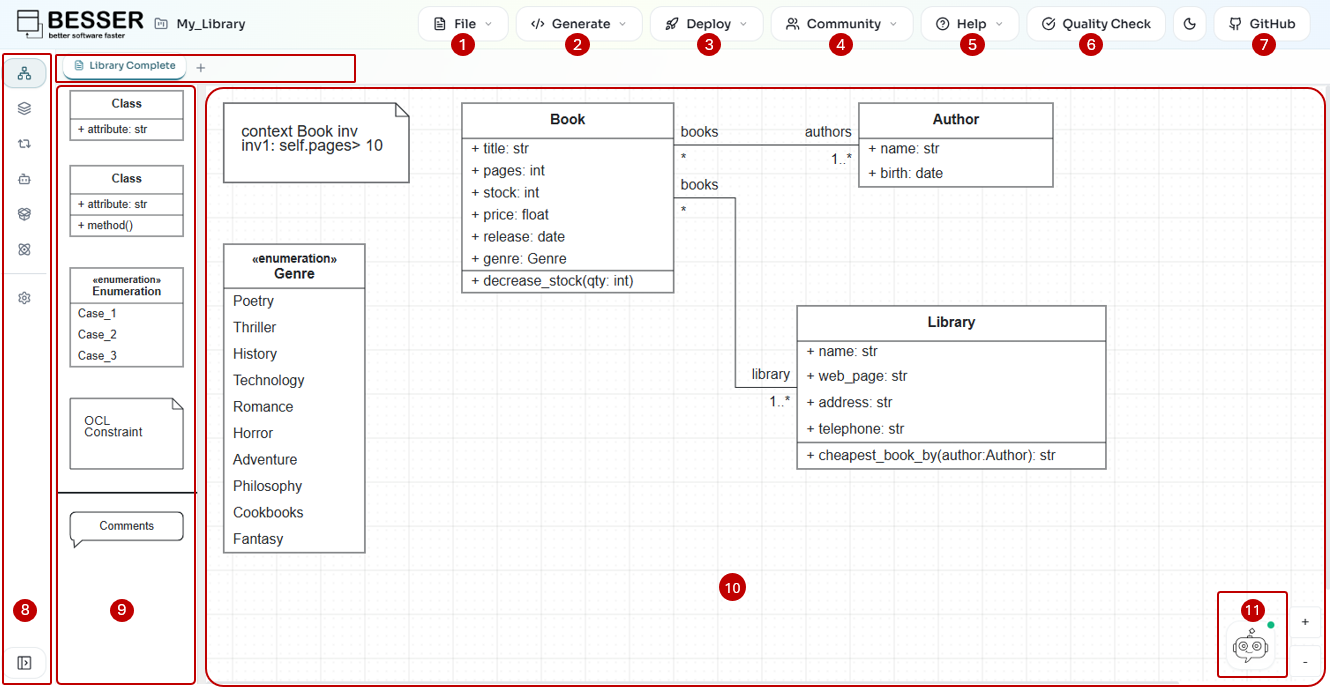
Prerequisites
For Docker: Docker Desktop.
For Source: Node.js 20.0.0 or newer, npm 10, and Git.
Deploy with Docker (Recommended)
The easiest way to run the editor locally is using Docker Compose.
git clone https://github.com/BESSER-PEARL/BESSER.git
cd BESSER
git submodule init
git submodule update
docker-compose up
Once the setup is complete, open your browser and navigate to http://localhost:8080.
Run from Source
If you want to contribute or modify the code, you can run from source.
Clone and install
git clone https://github.com/BESSER-PEARL/BESSER-WEB-MODELING-EDITOR.git
cd BESSER-WEB-MODELING-EDITOR
npm install
The project uses npm workspaces. npm install resolves dependencies for the
root package and cascades into the packages/* folders.
Run the web application locally
Start the Vite development server:
npm run dev
This starts the Vite dev server on http://localhost:8080 with hot-reload for React components.
Note
Code generation, validation, and BUML export rely on the BESSER backend at
http://localhost:9000/besser_api. Start it separately from the BESSER repo:
python besser/utilities/web_modeling_editor/backend/backend.py
For production-like testing you can also build and serve static assets:
npm run build:webapp:local
npm run start:server
The build step outputs static assets under build/webapp with
DEPLOYMENT_URL defaulting to http://localhost:8080. The Express
server serves those assets and exposes the diagram REST endpoints on the
same port.
Recommended verification
Open http://localhost:8080 and create a new Class Diagram.
Drag an element onto the canvas and confirm autosave updates the local project (check the browser’s localStorage entries prefixed with
besser_).Export the diagram as SVG from the application bar; the generated file should contain the expected graphics.
If the UI fails to load, inspect the browser console and the terminal output
from npm run dev and start:server. Many runtime issues stem from
missing environment variables—see Environment Variables.