GUI Diagrams
GUI diagrams allow you to visually design the graphical user interface for your application without coding. These designs are powered by the BESSER GUI metamodel (based on IFML).
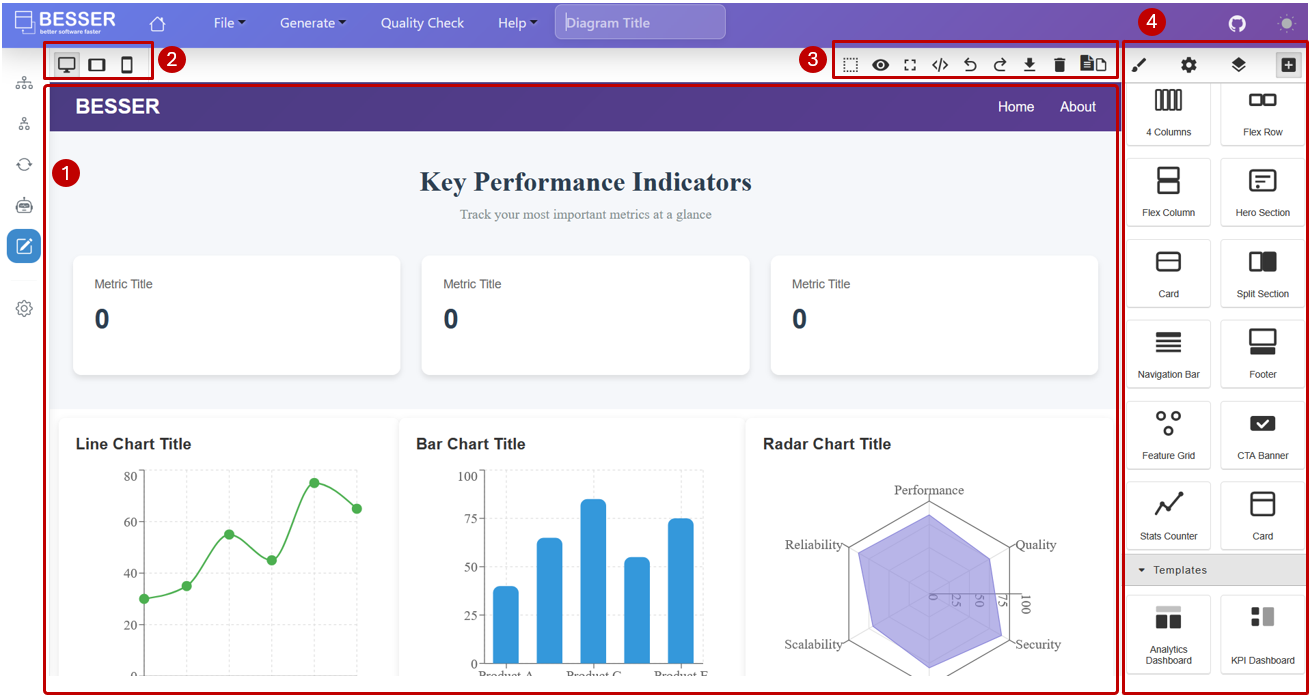
Editor Sections
1. Canvas
The main area where you design your interface. Each page is represented as a separate canvas area.
2. Device Preview
Allows you to preview how your GUI looks on Desktop, Tablet, and Mobile devices to ensure responsiveness.
3. Toolbar
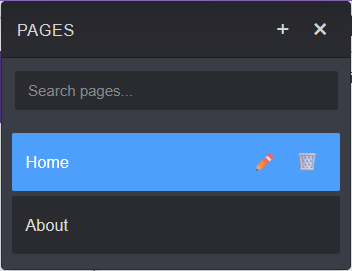
Provides quick access to actions like Undo/Redo, Full Screen, and Manage Pages.
4. Editing Panels
Style Manager: Modify visual properties (colors, fonts, margins).
Settings: Bind UI elements to entities and attributes from your Class Diagram.
Layer Manager: View the hierarchical tree of UI elements.
Blocks Palette: Drag and drop components like Layouts, Forms, Charts, and Data Tables.
Generating a Web Application
You can generate a full-stack web application from your GUI and Class diagrams:
Ensure your GUI elements are correctly bound to Class Diagram entities.
Click Generate Code.
Select Web App.
The generator produces:
Backend: FastAPI application with SQLAlchemy.
Frontend: React application.
Deployment: Docker Compose configuration.