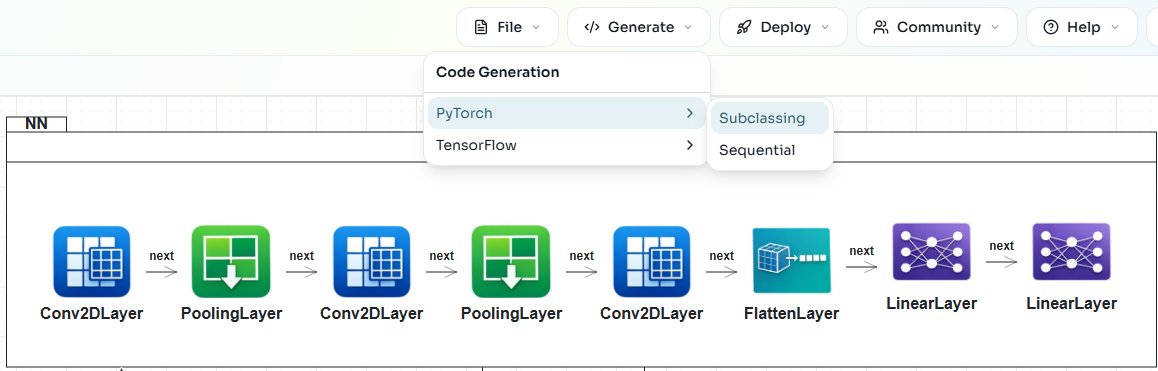
Neural Network Diagrams
Neural Network (NN) diagrams are used to define BESSER neural network models, which the PyTorch and TensorFlow generators consume to produce runnable code.
Overview
A neural network is defined inside an NNContainer, where layers and tensor operations are connected by NNNext relationships.
A diagram can hold several NNContainers on the same canvas: one acts as the top-level network and the others are reusable sub-networks, referenced from the main container via NNReference.
Optional Configuration and Training/Test Dataset elements provide hyperparameters and data sources.
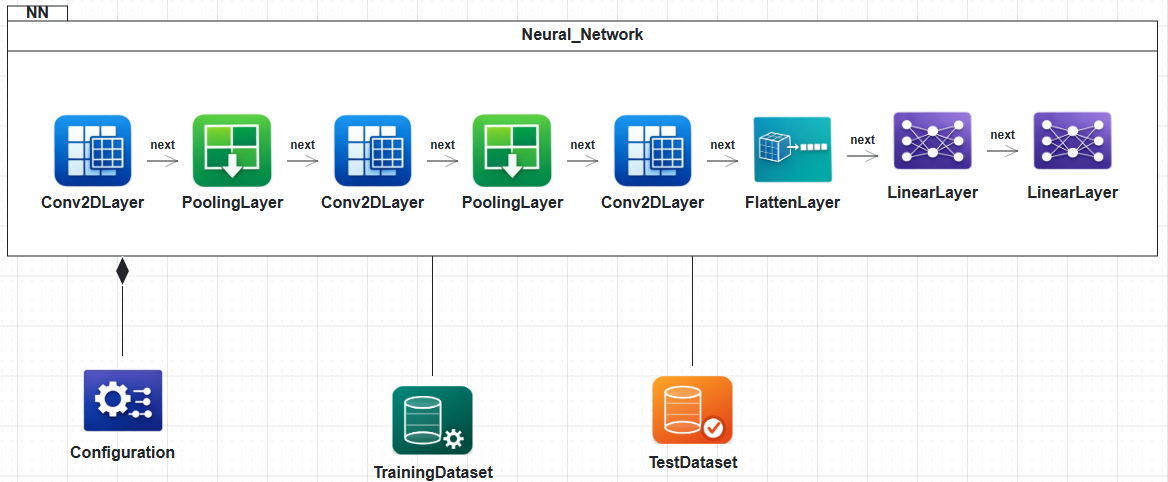
NN Container
Drag an NNContainer from the palette onto the canvas first. All layers and tensor operations live inside it. A canvas may contain several NNContainers; one acts as the top-level network and the others can be referenced as sub-networks (see NN Reference below).
Layers
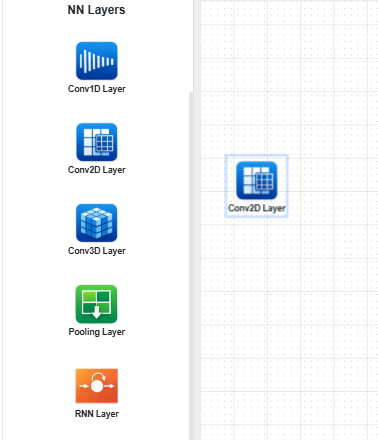
The palette provides the following layer types:
Convolutional:
Conv1D,Conv2D,Conv3DPooling:
Pooling(withpooling_typeselecting max, average, adaptive, or global variants)Recurrent:
RNN,LSTM,GRUGeneral layers:
Linear,Flatten,EmbeddingLayer modifiers:
Dropout,LayerNormalization,BatchNormalization
Drag a layer from the palette into the NNContainer.
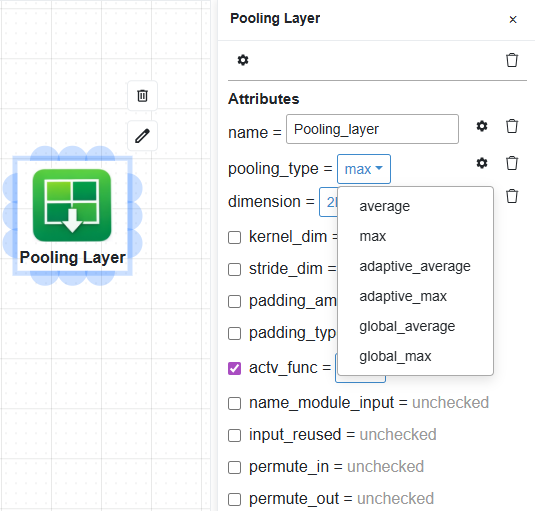
Double-click a layer to edit its attributes. Mandatory attributes are always shown;
optional ones are toggled on with checkboxes. Many fields use dropdowns
(pooling_type, actv_func, padding_type…) and list-typed attributes such as
kernel_dim or stride_dim adapt to the layer’s dimension (for example
[3, 3] for 2D, [3, 3, 3] for 3D).
Tensor Operations
Tensor operations transform tensors between layers. Drag a TensorOp element into the
NNContainer and pick a tns_type:
reshapeconcatenatetransposepermutemultiplymatmultiply
The selected tns_type controls which dimension attribute is shown on the popup
(reshape_dim, concatenate_dim, transpose_dim, permute_dim). Layers and
tensor operations are interchangeable building blocks and can be interleaved freely.
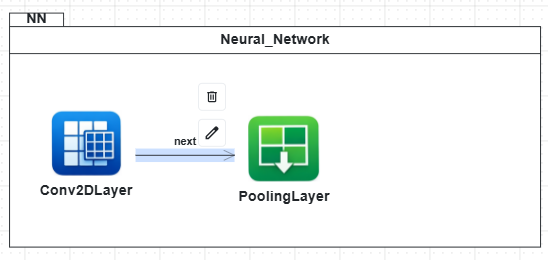
NNNext Relationships
Drag from a connection point on a source module to any target module to create an
NNNext relationship. The "next" arrow defines the order of the forward pass,
regardless of whether the connected modules are layers, tensor operations, or a mix of
both.
NN Reference
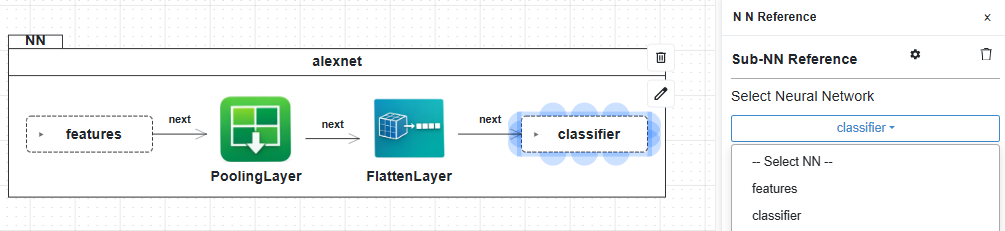
Use an NNReference element to reuse an NN already defined on the same canvas. Select the target NNContainer from the popup; the referenced network is included as a sub-network during code generation. This lets you compose a top-level model from smaller, reusable sub-networks.
Datasets
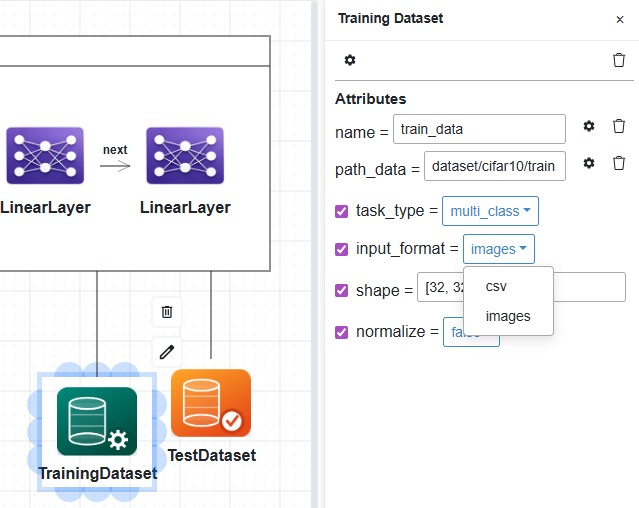
Optional Training Dataset and Test Dataset elements declare data sources for the network. Connect each dataset to the NNContainer with an association line.
Mandatory attributes:
name: dataset name.path_data: file or folder path to the dataset.
Optional attributes:
task_type:binary,multi_class, orregression.input_format:csvorimages.
When input_format = images, two additional attributes appear:
shape: image shape (e.g.[32, 32, 3]).normalize:trueorfalse.
Configuration
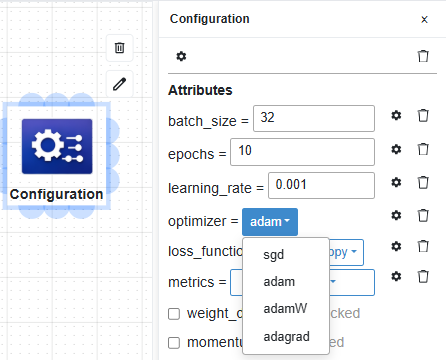
The optional Configuration element holds training hyperparameters. Connect it to the NNContainer with a composition relationship.
Mandatory attributes: batch_size, epochs, learning_rate, optimizer
(sgd, adam, adamW, adagrad), loss_function (crossentropy,
binary_crossentropy, mse), and metrics (multi-select from accuracy,
precision, recall, f1-score, mae).
Optional attributes: weight_decay, momentum.
Generating Code
Run Quality Check from the top bar to catch structural issues such as disconnected layers or missing mandatory attributes. Then open the Generate menu and choose a framework and style:
PyTorch / Subclassing:
torch.nn.Modulesubclass with an explicit forward pass.PyTorch / Sequential:
nn.Sequentialcomposition for strictly sequential architectures.TensorFlow / Subclassing:
tf.keras.Modelsubclass with a customcall().TensorFlow / Sequential:
keras.Sequentialcomposition.
The NN architecture definition is generated in the selected framework, along with training and evaluation code when datasets and Configuration are defined.